
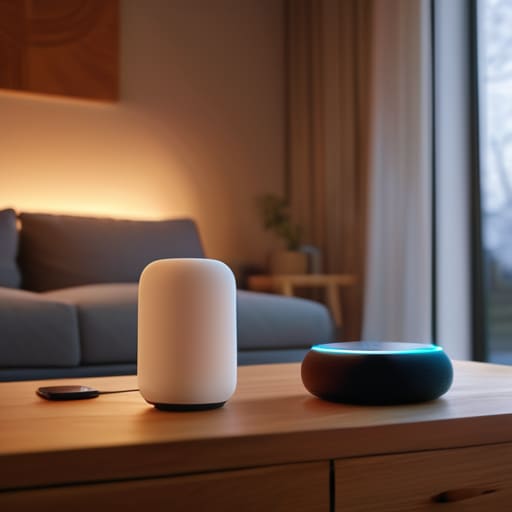
I was sitting on my workshop floor last Tuesday, surrounded by three different proprietary hubs and a tangled mess of Ethernet cables, staring at a smart bulb that refused to connect to a network it was literally sitting next to. It hit me then: most people think learning how to set up a smart home requires a degree in computer science and a massive budget, but that’s a lie sold to you by companies that want you trapped in their ecosystem. In reality, if your “smart” house requires you to open four different apps just to dim the lights, you haven’t built a system—you’ve just built a headache.
I’m not here to sell you on some futuristic, automated utopia that breaks the second your Wi-Fi hiccups. Instead, I’m going to show you how to build a setup that is actually reliable and stays out of your way. We’re going to focus on the foundational stuff: choosing hardware that plays nice together, securing your network so you aren’t an open book to hackers, and prioritizing functional simplicity over flashy gimmicks. Let’s get your tech working for you, rather than the other way around.
Table of Contents
Guide Overview
Tools & Supplies
- Smartphone with dedicated app for device management
- Wi-Fi Router for central connectivity hub
- Smart Hub 1 unit
- Smart Bulbs 2-4 units
- Smart Plugs 2 units
- Voice Assistant Speaker 1 unit
Step-by-Step Instructions
- 1. Start with a solid foundation by auditing your current Wi-Fi situation. Before you buy a single smart bulb, you need to make sure your router isn’t a bottleneck. If you’re trying to run twenty devices on a cheap router you got from your ISP three years ago, you’re asking for a headache. I always recommend a mesh system if you have more than a couple of rooms to cover; it ensures your signal stays strong and consistent even when you’re tucked away in the back bedroom.
- 2. Pick your command center before you start shopping. You don’t want a drawer full of five different apps that don’t talk to each other. Decide now if you’re a Google Home person, an Alexa enthusiast, or if you want to go the heavy-duty route with Apple HomeKit. Once you pick your ecosystem, stick to it as much as possible. This keeps your digital clutter to a minimum and ensures that one command actually triggers the result you’re looking for.
- 3. Focus on the low-hanging fruit first: lighting and plugs. Don’t go out and try to automate your entire HVAC system on day one. Grab a few smart bulbs and some smart plugs for your lamps or coffee maker. It’s the fastest way to see the value without spending a fortune or spending your entire weekend troubleshooting. It’s about incremental wins that make your daily routine feel a little more seamless.
- 4. Map out your security essentials next. I’m talking about smart locks and video doorbells. These aren’t just gadgets; they’re tools that provide actual peace of mind. When I’m out on a job site, I want to know I can check the front door from my phone without jumping through hoops. Just make sure whatever you buy is compatible with your chosen hub so you aren’t toggling between screens just to let a contractor in.
- 5. Get smart with your climate control. A programmable, smart thermostat is one of the few pieces of tech that actually pays for itself in energy savings. It’s a simple mechanical upgrade that bridges the gap between your comfort and your wallet. Set it to dial back when you’re out of the house, and let it work in the background so you don’t have to think about it.
- 6. Build in manual overrides for everything. This is the step most people skip, and it’s the most important one. If your internet goes down or your hub decides to take a nap, you should still be able to walk into a room and flip a light switch like a normal human being. If a “smart” device renders a basic function useless when the power flickers, it’s a bad system. Always prioritize hardware that offers a physical fallback.
Choosing Your Foundation Smart Home Ecosystem Compatibility First
Before you go out and buy every shiny new gadget on the shelf, you need to pick a side. Think of this like choosing the operating system for your computer; if you try to run everything at once without a plan, you’re just inviting a digital headache. You need to decide on your smart home ecosystem compatibility before the first box even arrives at your door. Whether you lean toward Apple, Google, or Amazon, sticking to one primary “language” ensures that your devices actually talk to each other instead of sitting in isolation like expensive paperweights.
I’ve seen too many people get caught in the trap of buying a great smart lock only to realize it won’t play nice with their existing lights. If you want a system that feels seamless rather than fragmented, focus on voice assistant integration early in the process. This is your central nervous system. Once you’ve picked your foundation, every subsequent purchase becomes a simple question of “Does this fit the system?” rather than a frantic troubleshooting session. Build the framework first, then add the bells and whistles later.
Picking the Best Smart Home Hubs 2024 Without the Fluff
Look, once you’ve decided on your ecosystem, you need a brain to run the show. I see people making the mistake of buying ten different proprietary bridges for ten different bulbs, and it’s a nightmare to manage. When you’re looking at the best smart home hubs 2024 has to offer, don’t just chase the flashiest specs. You want something that acts as a universal translator. Whether you lean toward a dedicated hub like Home Assistant for total control or a more polished experience like an Apple HomePod, the goal is the same: seamless communication between every single gadget you own.
If you’re planning on automating home security systems, this choice becomes even more critical. A cheap, flimsy hub is a single point of failure you don’t want when you’re away on a trip. I always tell my clients to prioritize local processing over cloud-dependent setups. If your internet goes down, your lights shouldn’t stop working and your locks shouldn’t become paperweights. Keep it simple, keep it local, and make sure your hub can actually handle the load without lagging.
Five Rules to Keep Your Smart Home from Becoming a Headache
- Don’t buy everything at once. Start with one room or one specific problem—like lighting or security—and get that working perfectly before you start throwing more gadgets into the mix. If you can’t master the basics, you’ll just end up with a pile of expensive paperweights.
- Check your Wi-Fi strength before you plug anything in. There’s no point in buying a high-end smart lock if your router can’t push a signal through your front door. If your signal is weak in certain spots, invest in a solid mesh system first; it’s the backbone of everything else.
- Prioritize “Local Control” over cloud-dependent devices. I’ve seen too many setups go dark just because a company’s server went offline or they decided to stop supporting a product. Look for gear that works on your local network so you aren’t left sitting in the dark because of a server hiccup in another state.
- Stick to one or two communication protocols. You don’t need a device for every single wireless standard. Try to lean heavily on Zigbee or Matter if you can. It keeps your network traffic organized and prevents your Wi-Fi from getting bogged down by twenty different smart lightbulbs fighting for bandwidth.
- Map out your automation logic on paper first. Before you start programming complex “if-this-then-that” routines, grab a notebook and sketch out what you actually want to happen. If the automation requires you to check an app every single time you use it, it’s not an automation—it’s a chore. Real smart homes should work in the background, not demand your constant attention.
The Bottom Line: Keep It Simple or Don't Do It at All
Pick one ecosystem—whether it’s Apple, Google, or Alexa—and stick to it. Trying to bridge five different platforms is a recipe for a headache that no amount of automation can fix.
Prioritize reliability over “cool” features. A smart light that doesn’t turn on when you hit the switch isn’t a tool; it’s a broken piece of hardware. Buy for function, not for the gadget factor.
Start small and build in stages. You don’t need a fully automated mansion by next Tuesday. Get your lights and locks working perfectly first, then add more complexity only when the foundation is solid.
Stop Building, Start Living

Look, we’ve covered a lot of ground, from picking a foundation that won’t crumble under its own weight to selecting a hub that actually plays nice with your existing gear. The biggest mistake I see people make is trying to buy every shiny new gadget on the market at once. You don’t need a smart toaster or a connected toothbrush to have a functional home. Stick to the essentials: get your lighting, your climate control, and your security talking to each other first. Focus on reliability over novelty. If a device adds more friction to your daily routine than it removes, it doesn’t belong in your ecosystem. Keep it simple, keep it compatible, and for heaven’s sake, don’t over-engineer your living room.
At the end of the day, technology should be like a well-maintained engine—you shouldn’t even notice it’s running. The goal of a smart home isn’t to turn your house into a sci-fi movie set; it’s to clear away the small, annoying mental tasks so you can actually focus on your life. Whether you’re automating your morning coffee or ensuring the doors are locked from your phone, the tech should serve you, not the other way around. Build your system slowly, test it thoroughly, and make sure it works when the screen goes dark. Now, put the phone down and go enjoy the space you’ve built.
