
I was sitting in my home office last Tuesday, staring at a third “productivity dashboard” on my monitor, feeling more scattered than a box of loose screws. I had spent forty minutes tweaking a digital task manager instead of actually doing the work, a classic trap of the modern era. Most of the remote work tips you find online are just more digital noise—expensive apps, complex scheduling algorithms, or “hacks” that require you to spend more time managing the system than actually producing results. It’s a ridiculous way to live, and quite frankly, it’s counterproductive.
I’m not here to sell you on another subscription service or a complicated workflow that requires a degree in systems engineering to maintain. My goal is to give you the straightforward, analog-minded methods that actually bridge the gap between your screen and your real life. We’re going to focus on tactical, low-friction habits that reclaim your focus and your physical space. I’ll show you how to build a setup that works for you, not the other way around, so you can finally close the laptop and actually walk away when the day is done.
Table of Contents
Smart Home Office Setup Ideas That Actually Work
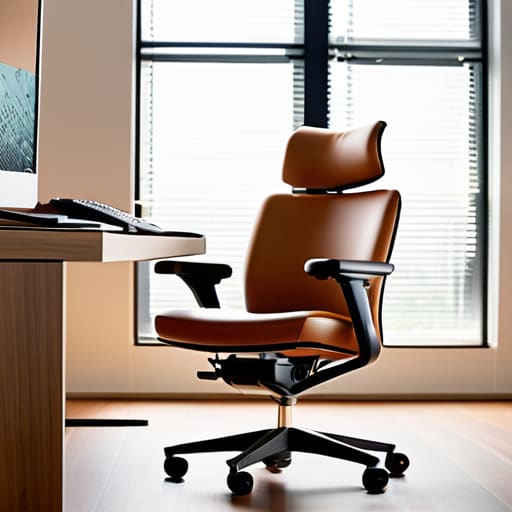
Most people treat their home office like a glorified corner of the bedroom, which is a recipe for disaster. If you want to actually stay focused, you need to treat your workspace like a piece of precision machinery. Start with the ergonomics; a cheap chair will wreck your back faster than a bad codebase, and once your body hurts, your brain is gone. I’m a big believer in the “zones” approach. Keep your digital tools in one dedicated area and leave your physical recovery—like a reading chair or a simple workbench—completely separate. This isn’t about fancy gadgets; it’s about creating a physical boundary that tells your brain when it’s time to grind and when it’s time to actually disconnect.
Don’t get sucked into the trap of buying every smart light and automated desk on the market. Most of those are just distractions disguised as efficiency. Instead, focus on the basics of home office setup ideas that support your biology. Invest in a solid, adjustable desk and a monitor at eye level to prevent that permanent “tech neck” slouch. If you can, control your lighting to mimic natural daylight. It’s one of the most effective forms of remote work burnout prevention because it keeps your circadian rhythm from getting completely fried by blue light. Keep it simple, keep it functional, and keep it organized.
Remote Work Burnout Prevention Without the Fluff
Look, most advice on remote work burnout prevention feels like it was written by someone who’s never actually sat in a home office for ten hours straight. They tell you to “practice mindfulness” or “take deep breaths,” but that doesn’t stop the feeling of being perpetually tethered to a glowing rectangle. The real issue isn’t your mindset; it’s the lack of physical boundaries. When your living room is also your boardroom, your brain never gets the signal that the shift is over.
I’ve learned the hard way that you need a hard reset. If you don’t have a dedicated room, use a physical trigger to signal the end of the day—close the laptop, put it in a drawer, or even just change your shirt. It sounds trivial, but you need to physically decouple your professional identity from your living space. Stop chasing those endless remote work productivity hacks that promise more output; instead, focus on protecting your downtime. If you don’t build a fence around your personal time, your job will eventually trample everything else.
Five Ways to Stop Letting Your Job Bleed Into Your Life
- Treat your commute like it still exists. I don’t mean driving to an office; I mean a physical ritual—a ten-minute walk or even just making a specific pot of coffee—that signals to your brain that “Work Rob” is clocking in and “Home Rob” is stepping back. Without that boundary, you’re never truly off the clock.
- Audit your notifications like you’re auditing a broken circuit. If a Slack ping or an email alert doesn’t require an immediate response to prevent a system failure, turn it off. Constant pings are just digital noise that fragment your focus and keep your cortisol levels spiked for no reason.
- Stick to a “Single-Tasking” rule for deep work. We’ve been sold this lie that multitasking is a skill, but in engineering, multitasking is just a recipe for error. Pick one high-priority task, close every unnecessary tab, and put your phone in another room until it’s done.
- Get a physical analog backup. I keep a small notebook on my desk for a reason. When you’re drowning in digital To-Do lists that never seem to end, scratch your three most important tasks for the day onto actual paper. There’s something about the tactile act of crossing something off that a checkbox on a screen just can’t replicate.
- Hard-stop your digital day. At a set time every evening, shut the laptop down—don’t just put it to sleep, actually shut it down. If you keep your workspace integrated into your living space, you need a physical signal that the “system” is offline for maintenance.
The Bottom Line
Stop chasing the latest productivity app; focus on your physical environment and hard boundaries to keep your work from bleeding into your life.
Systems beat willpower every time—automate your routine so you don’t have to spend mental energy deciding when to start or stop.
If a tool or a process feels like it’s adding more friction than it’s solving, scrap it and go back to a simpler, manual method.
Cutting Through the Digital Noise
Look, we’ve covered a lot of ground here, from optimizing your physical workspace to making sure you don’t lose your mind when the Slack notifications won’t stop. The takeaway is simple: remote work isn’t about finding the perfect, most expensive software suite to manage your life; it’s about building systems that serve you, not the other way around. Whether it’s setting up a desk that doesn’t wreck your back or establishing a hard boundary between your “office” and your living room, the goal is to create a sustainable rhythm. If a tool or a habit feels like it’s adding more friction than it’s removing, toss it out. Keep your setup lean, keep your schedule intentional, and stop letting your digital tools dictate your physical reality.
At the end of the day, your job is what you do, not who you are. Don’t let the convenience of a home office turn into a cage that keeps you tethered to a screen twenty-four hours a day. Use these strategies to reclaim your time and your space, but remember that the most important part of any system is the person running it. Prioritize your actual life—the parts that happen when the Wi-Fi is off and the laptop is closed. Build a workflow that works for your brain and your body, and then actually live the life you’re working so hard to support.
