

I was hunched over a vintage Moog synthesizer last Tuesday, trying to trace a faulty circuit path under a dim desk lamp, when that familiar, dull ache started thumping behind my temples. It wasn’t just a headache; it was that gritty, exhausted sensation that tells you your eyes have officially checked out for the day. I spent years thinking I needed some high-tech, $500 blue-light-blocking glasses or a complete office overhaul to fix it, but honestly, most of that “tech-wellness” gear is just expensive noise. If you’re searching for how to reduce eye strain from screens, you don’t need a subscription to a meditation app or a fancy new monitor; you just need to stop fighting your own biology.
I’m not here to sell you on a complicated system that takes more effort to manage than the actual work you’re doing. My goal is to give you a few straightforward, battle-tested methods that actually bridge the gap between your digital workload and your physical comfort. We’re going to focus on small, functional adjustments to your environment and your habits—the kind of stuff that works even when you’re too tired to think. Let’s cut the fluff and get your eyes back to feeling actually human again.
Table of Contents
Spotting Computer Vision Syndrome Symptoms Before They Hit

Most people don’t realize they’re in trouble until they’re squinting at a spreadsheet or nursing a dull ache behind their temples at 4:00 PM. You shouldn’t wait for a full-blown migraine to acknowledge something is wrong. I’ve learned through years of staring at code and circuit diagrams that the body gives you subtle warnings long before the real damage sets in. Watch out for that slight blurriness when you look up from your monitor, or a sudden, nagging dryness that makes you feel like you’ve been staring into a desert.
These aren’t just minor annoyances; they are classic computer vision syndrome symptoms telling you your system is redlining. If you notice your neck tightening up or your eyes feeling heavy and “gritty,” your body is signaling that your current setup is working against you. It’s easy to brush these off as “just part of the job,” but ignoring them is like ignoring a warning light on a dashboard. Catching these signs early is the difference between a quick five-minute adjustment and a week of feeling completely burnt out.
Adjusting Screen Brightness and Contrast Without the Fuss

Most people treat their monitor settings like they’re set in stone, but that’s a mistake. If your screen looks like a glowing lightbox in a dark room, or if it’s so dim you’re squinting just to read an email, you’re asking for trouble. The goal isn’t to find a “perfect” setting, but to match your display to the light in your actual room. A good rule of thumb? If your screen looks like it’s emitting its own light source rather than reflecting the ambient light around it, you need to dial it back. Adjusting screen brightness and contrast shouldn’t be a chore; it’s about making the text pop without the glare.
I’ve seen plenty of guys try to solve this by buying expensive blue light blocking glasses, and while there are some blue light blocking glasses benefits, they aren’t a magic fix for a poorly calibrated monitor. If your contrast is too high, the white backgrounds will bleed into your vision, making your eyes work twice as hard. Try to find a balance where the whites look like paper, not a flashlight. It’s a small tweak to your ergonomic workstation setup, but it makes a massive difference in how your head feels by 5:00 PM.
Five No-Nonsense Fixes for Tired Eyes
- Use the 20-20-20 rule. It sounds like some corporate wellness slogan, but it’s pure physics. Every 20 minutes, look at something 20 feet away for 20 seconds. It forces your eye muscles to relax instead of staying locked in a permanent stare at a fixed distance.
- Fix your lighting. If you’re working in a dark room with a bright monitor, you’re asking for a headache. Match your screen brightness to the ambient light in the room. If your screen looks like a glowing lightbox, it’s too bright; if it looks dull and gray, crank it up.
- Check your monitor height. You shouldn’t be looking “up” at your screen. Your eyes should be level with the top of the monitor so you’re looking slightly downward. This keeps your eyelids lower, which reduces the amount of surface area exposed to air and slows down dryness.
- Stop forgetting to blink. When we focus on a task, our blink rate drops significantly. It’s a subconscious thing. Remind yourself to actually close your eyes fully every now and then to keep the tear film moving. If your eyes feel like sandpaper, they’re dry.
- Get a decent pair of blue light glasses or use a software filter. I’m not saying you need to spend a fortune, but cutting the harsh blue spikes in the evening helps. Most OS settings have a “Night Shift” or “Warm” mode—turn it on and leave it on. It’s easier on the system.
The Bottom Line: Stop the Burn
Don’t wait for a headache to act; if your eyes feel heavy or your vision gets blurry, your setup is failing you.
Stop obsessing over perfect settings and just make sure your screen isn’t a light bulb glaring in a dark room.
The best tech fix is often no tech at all—get up, look at something far away, and give your eyes a break from the pixel grind.
Cutting Through the Digital Fog
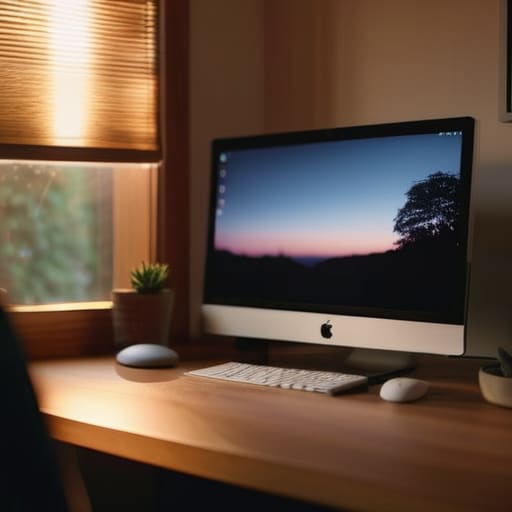
Look, we’ve covered a lot of ground here, but it really boils down to a few fundamental adjustments. You don’t need a $500 specialized monitor or a room full of smart lighting to save your vision. It’s about the basics: recognizing those early warning signs of eye fatigue, dialing in your brightness so it doesn’t feel like you’re staring into a spotlight, and—most importantly—actually breaking your focus every once in a while. If you can manage to implement even two of these changes, you’re already ahead of most people who just power through the headache until they’re blind with exhaustion. Keep it simple and don’t let the tech dictate how your body feels.
At the end of the day, your tools should serve you, not the other way around. I spend half my life staring at circuit boards and code, and I’ve learned the hard way that no amount of digital productivity is worth permanent physical strain. We live in a world that demands constant connectivity, but you have to be the one to draw the line. Don’t wait until your eyes feel like they’ve been rubbed with sandpaper before you decide to make a change. Take control of your environment, step away from the glow, and remember that the best system is the one that actually works for your life, not just your workflow.
