

I was sitting in a glass-walled conference room last Tuesday, watching a project manager flip through his forty-second slide of a deck, when I realized we weren’t actually working—we were just performing “productivity theater.” Most people think learning how to run a good meeting requires expensive project management software or a complex, multi-step ritual involving pre-reads and color-coded agendas. It’s a lie. In reality, most of these sessions are just expensive ways to kill momentum while everyone stares at their phones under the table.
I’m not here to give you a lecture on corporate etiquette or more digital bloat to manage. I’m going to show you how to strip the process down to its bare mechanics, much like I’d strip a vintage synth to find the faulty capacitor. I’ll share the exact, blunt methods I use to cut through the noise, keep people focused, and ensure that when the room clears, there is actually something accomplished instead of just another calendar invite.
Table of Contents
Using Meeting Agenda Templates to Cut the Noise
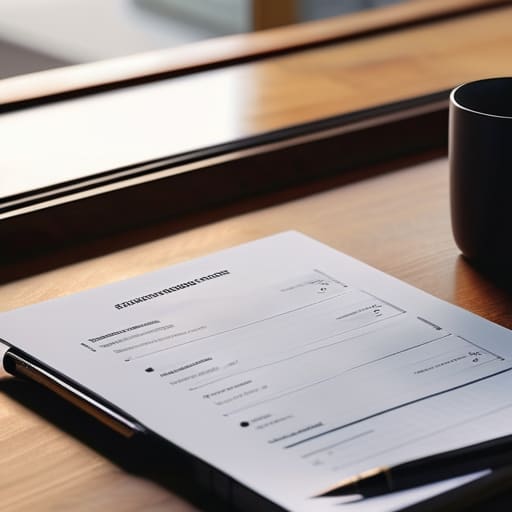
Look, I’ve seen enough “brainstorming sessions” turn into hour-long circular arguments to know that most people walk into a room without a map. If you’re just winging it, you aren’t leading; you’re just hosting a chat. This is where using meeting agenda templates actually pays off. I’m not talking about those bloated, corporate-style documents that require a PhD to navigate. I mean a lean, functional framework that dictates exactly what needs to be decided and by whom. A good template acts like a schematic for a circuit—it shows you where the current is supposed to flow so you don’t end up with a short circuit halfway through.
When you standardize the structure, you’re doing more than just staying organized; you’re actively reducing meeting fatigue. People get drained when they feel like their time is being treated as an infinite resource. By laying out the objectives upfront, you signal that this session has a beginning, a middle, and a definitive end. It stops the sidebar conversations and keeps the focus on the task at hand, ensuring that when the clock hits the thirty-minute mark, you’re actually walking away with a result rather than just another “follow-up” invite.
Mastering Facilitation Techniques for Leaders Who Value Time

Once you’ve got your agenda set, the real work begins when the clock starts ticking. I’ve sat through enough “open discussions” to know they are usually just a polite way of saying “we’re going to talk in circles until someone gets bored.” To prevent this, you need to treat facilitation like a system, not a suggestion. Effective facilitation techniques for leaders aren’t about being the loudest voice in the room; they’re about being the person who keeps the gears turning without grinding them to a halt. If a conversation veers off into a technical rabbit hole that doesn’t serve the primary goal, call it out. Park the idea in a “parking lot” for later and bring the group back to the task at hand.
The goal is collaborative decision making, not a popularity contest. If you notice the same two people dominating the airtime, pivot the conversation to someone who hasn’t spoken yet. This isn’t just about being polite; it’s a practical way of reducing meeting fatigue by ensuring everyone feels their time is being respected. When people feel heard and see actual progress, they stay engaged. When they feel like they’re just witnessing a monologue, they check out. Keep it tight, keep it moving, and keep the focus on the output.
Five Rules to Stop the Bleeding and Reclaim Your Calendar
- Kill the “Just in Case” invite. If someone doesn’t have a specific role or a direct stake in the outcome, don’t drag them into the room. Send them the minutes afterward instead. It respects their time and keeps the room small enough to actually move the needle.
- End with a clear “Who, What, When” list. A meeting without documented action items is just a group chat with more expensive overhead. Before anyone stands up, I want to see a list of exactly who is doing what, and the deadline they’re working against.
- Ban the “status update” meeting. If you’re just reading a list of things people already know, you’re wasting everyone’s cognitive load. Move status updates to an asynchronous thread or a shared doc, and use the meeting time for actual problem-solving or decision-making.
- Set a hard stop, not a soft suggestion. If the meeting is scheduled for 30 minutes, it ends at 30 minutes. I’ve found that when people know the clock is real, they stop rambling and start getting to the point. It forces a level of discipline that “open-ended” discussions lack.
- Use a “Parking Lot” for tangents. We’ve all been there—one person goes off on a technical rabbit hole that has nothing to do with the current objective. When that happens, I note it down in my notebook, call it out, and move it to a “parking lot” to be addressed later. It keeps the momentum from dying.
The Bottom Line: Stop Meeting, Start Doing
If you can’t define the specific outcome you need before you hit ‘send’ on the invite, don’t hold the meeting; just send an email.
Respect the clock as much as your hardware; end on time, every time, to keep your team’s momentum from stalling.
A meeting without clear, assigned action items is just a group chat with more expensive overhead—make sure everyone knows exactly what they’re responsible for before they walk out the door.
Stop Meeting, Start Doing

At the end of the day, a good meeting isn’t about how much information you can cram into a single hour; it’s about how much clarity you can create. We’ve covered the essentials: use a tight agenda to keep the conversation on the rails, and step up as a facilitator to ensure the loudest voice in the room doesn’t drown out the actual solutions. If you walk away from a session without clear owners and specific next steps, you haven’t had a meeting—you’ve just had a group chat with a timer. Respect the clock and respect the people sitting across from you by keeping things focused and functional.
I spent years watching projects stall because people were too busy “syncing up” to actually execute the work. My advice is simple: treat your time like the finite resource it is. Don’t be afraid to cancel a meeting if the goal can be achieved in a three-sentence email. The most productive teams I’ve ever worked with aren’t the ones that meet the most; they’re the ones that make every minute count. Build systems that serve your work, rather than letting your work become a series of endless, aimless circles. Now, close the laptop and go get something done.
