
I spent three years of my early consulting career thinking I could solve my chronic lower back pain by dropping two grand on a high-tech, ergonomic chair that looked more like a cockpit than a seat. I followed every “expert” recommendation, yet by 4 PM, my spine felt like it was being compressed by a hydraulic press. Most of the desk job health tips you see online are just expensive distractions designed to sell you gear you don’t actually need. We’ve turned basic human movement into a subscription service, and frankly, it’s a load of garbage.
I’m not here to sell you a standing desk converter or a specialized lumbar cushion that’ll just end up gathering dust in your garage. My goal is to give you the actual, mechanical fixes that keep your body from seizing up while you work. I’m talking about simple, systematic adjustments to your environment and your habits that bridge the gap between your digital output and your physical reality. We’re going to cut through the marketing fluff and focus on the high-leverage moves that actually work when the screen goes dark.
Table of Contents
An Ergonomic Workstation Setup That Actually Works
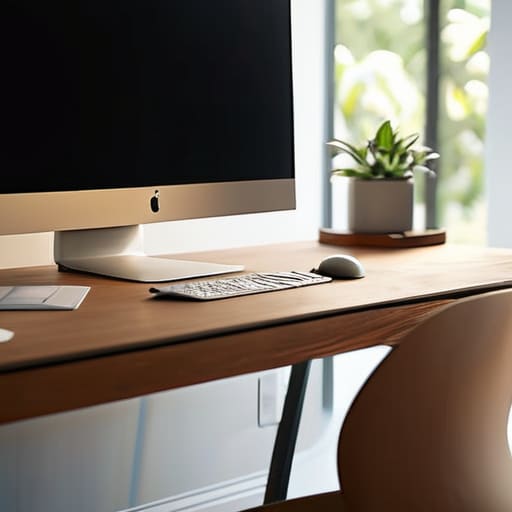
Look, you don’t need a three-thousand-dollar chair with fourteen different levers to save your spine. Most of those high-end “ergonomic” gadgets are just marketing fluff designed to solve problems that shouldn’t exist in the first place. A solid ergonomic workstation setup comes down to basic geometry. Your monitor should be at eye level so you aren’t craning your neck like a curious bird, and your elbows should rest at a ninety-degree angle. If you’re hunched over a laptop on a flat table, you’re essentially asking for a lifetime of back issues.
If you want to get serious about improving posture at work, stop thinking about “fixing” yourself and start thinking about your environment. Use a simple laptop riser or even a stack of sturdy books to get that screen up. Your feet need to be flat on the floor, not dangling or tucked under your chair. It’s about creating a closed loop of support where your body isn’t fighting against your furniture. Keep it simple, keep it functional, and stop over-engineering the solution.
Eye Strain Relief for Office Workers Without Fancy Gadgets

Look, I’ve spent enough hours hunched over circuit boards and monitors to know that feeling of “sand in the eyes” by mid-afternoon. Most people will try to sell you blue-light-blocking glasses or some high-tech monitor backlight, but honestly? Most of that is just noise. The real culprit is that you’re staring at a fixed focal distance for hours on end, forcing your eye muscles to lock up like a seized engine.
The most effective method for eye strain relief for office workers is something called the 20-20-20 rule. It’s dead simple: every 20 minutes, look at something at least 20 feet away for at least 20 seconds. It gives your ocular muscles a chance to actually relax instead of staying under constant tension.
While you’re at it, check your lighting. If you’re working in a dark room with a glowing screen, you’re essentially creating a spotlight effect that kills your focus. Adjust your desk lamp or pull a blind to minimize glare. It’s not about buying a new setup; it’s about managing the environment you already have so your body doesn’t pay the price when you finally shut down for the day.
Stop Treating Your Body Like a Static Component
- Stop hunting for the perfect ergonomic chair; no piece of furniture is going to save you if you stay frozen in one position for eight hours straight. Movement is the only real fix.
- Set a physical timer—not a phone app that just sends another notification to your screen—to force yourself to stand up, stretch, and reset your spine every sixty minutes.
- Hydrate like it’s your job, but don’t overcomplicate it with fancy alkaline waters. Just keep a simple, reusable bottle on your desk so you’re forced to get up and walk to the kitchen more often.
- Fix your breathing. When we get deep into a project or a complex spreadsheet, we tend to take shallow, chest-only breaths. It triggers a stress response that keeps your muscles tight. Take three deep, belly breaths every time you finish a task.
- Use the “20-20-20” rule to keep your eyes from feeling like they’ve been rubbed with sandpaper. Every 20 minutes, look at something 20 feet away for 20 seconds. It’s basic optics, and it works.
The Bottom Line: Keep It Simple
Forget the expensive ergonomic chairs that promise to fix your spine; focus on the basics like monitor height and foot placement before you drop a paycheck on gear.
Your eyes aren’t meant to stare at a backlit screen for eight hours straight, so use the 20-20-20 rule to stop the headaches before they start.
The best “health hack” isn’t a gadget or an app—it’s just getting up and moving your body every hour so you don’t feel like a rusted hinge by the time you clock out.
Bottom Line: Keep It Simple
Look, we’ve covered a lot of ground here, from fixing your desk setup to saving your eyesight, but the common thread is the same: stop looking for a magic pill. You don’t need a thousand-dollar ergonomic chair or some high-tech blue light glasses to stay functional. You just need to stop treating your body like a stationary object. Adjust your monitor height, stand up when your legs feel heavy, and give your eyes a break from the glare every once in a while. It’s not about complex bio-hacking; it’s about building simple systems that prevent your physical self from breaking down while your digital self stays productive.
At the end of the day, your career is a marathon, not a sprint, and you can’t finish the race if your hardware is failing. Don’t let the grind turn you into a rusted-out machine. Technology is supposed to serve us, not the other way around, so make sure you’re reclaiming your physical reality every time you step away from the keyboard. Focus on the small, practical adjustments that actually stick, and you’ll find that staying healthy doesn’t have to be another chore on your to-do list. Now, close the laptop and go move around for a bit.
