
I remember sitting in my home office last year, staring at a dual-monitor setup that cost more than my first car, feeling like a total amateur because my lighting looked like a scene from a low-budget horror movie. I had the technical specs down, but I was missing the human element. Most of the advice you find online regarding remote job interview tips is absolute garbage—it’s all about buying the perfect ring light or downloading some obscure productivity app that just ends up cluttering your desktop. People act like you need a professional studio to land a solid role, but honestly, that’s just more noise getting in the way of the actual conversation.
I’m not here to sell you on a high-end webcam or a complex digital workflow. My goal is to give you the straightforward, tested methods I’ve used to navigate the tech world for decades. We’re going to focus on the practical stuff: checking your connection, managing your physical environment, and making sure your actual expertise shines through the pixels. I’ll show you how to cut through the digital clutter so you can walk into that virtual room with confidence, knowing your setup won’t fail you when it matters most.
Table of Contents
Testing Your Webcam and Microphone Before the Call
Look, I’ve spent enough time troubleshooting broken systems to know that most “technical disasters” are actually just simple oversights. You don’t need a studio-grade setup, but you do need to be sure your gear actually works. Don’t just assume your laptop’s built-in mic is doing its job; it often picks up every hum from your refrigerator or AC unit. Take ten minutes to sit in your chair and run a test recording. Listen for that background hiss or any clipping that makes you sound like you’re underwater. Testing your webcam and microphone before the interview is the single most effective way to prevent that sudden spike of panic when you realize you’re on mute.
Once you know you can be heard, check your visual footprint. You don’t need a professional studio, but a decent remote interview lighting setup is non-negotiable. If you’re sitting with a bright window directly behind you, you’ll look like a silhouette in a witness protection program. Aim for soft, natural light hitting your face from the front. It keeps the focus on your expressions rather than your shadows, which helps significantly when you’re trying to project confidence through a lens.
Mastering Virtual Interview Body Language

Here’s the thing about video calls: you lose about 70% of the physical cues we use to build trust in a real room. When you’re sitting in front of a lens, your movements can feel exaggerated or, even worse, completely static. To nail your virtual interview body language, you need to stop treating the screen like a television and start treating it like a person. This means looking directly into the camera lens when you speak, not at the person’s eyes on your monitor. It feels unnatural at first—like you’re staring into a void—but to the interviewer, it creates the illusion of genuine eye contact.
Don’t forget that your posture tells a story before you even open your mouth. If you’re slumped in a gaming chair, you look like you’ve already checked out. Sit up, lean slightly forward to show engagement, and use small, controlled hand gestures to emphasize points. Avoid the urge to fidget with your phone or a pen; those tiny movements translate as nervous energy on a high-def feed. Keep your movements deliberate and calm. If you can master that steady presence, you’ll project a level of confidence that a polished resume simply can’t match.
Cut the Noise: 5 Practical Ways to Own the Digital Room
- Fix your lighting before you even think about your resume. Don’t sit with a bright window behind you unless you want to look like a silhouette in a witness protection program; put the light in front of your face so they can actually see you’re a real person.
- Treat your background like a clean workbench. You don’t need a professional studio, but clear out the laundry pile and the half-eaten takeout containers; a clutter-free space tells them your mind is organized, too.
- Get a hardwired connection if you can. Wi-Fi is great until it isn’t, and nothing kills a professional vibe faster than your voice turning into a robot mid-sentence because your router decided to take a nap.
- Keep a physical notebook and a pen on the desk. Taking notes by hand shows you’re actually listening and keeps you from looking like you’re reading answers off a second screen, which is a dead giveaway.
- Have a “Plan B” ready for when the tech fails. Keep your phone nearby with the interviewer’s number already dialed in; if the platform crashes, you can jump on a quick call immediately instead of sitting there staring at a frozen screen in a panic.
The Bottom Line
Treat your tech like a piece of machinery; if you haven’t tested the components before you turn them on, you’re just asking for a breakdown mid-interview.
Focus on eye contact with the lens, not the screen—it feels weird at first, but it’s the only way to actually “look” someone in the eye through a digital interface.
Keep your workspace clean and your background simple so the interviewer is looking at you, not the clutter on your bookshelf or the mess in your office.
Cutting Through the Digital Noise
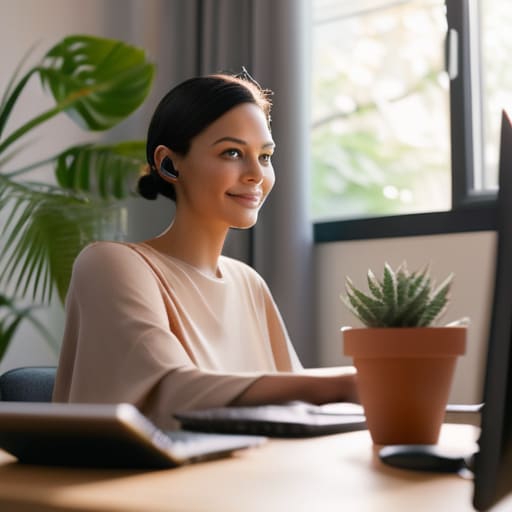
At the end of the day, a remote interview isn’t about having the most expensive lighting rig or the perfect digital background. It’s about eliminating the friction between you and the person on the other side of that screen. We’ve talked about testing your gear so you aren’t scrambling mid-sentence, and making sure your body language doesn’t make you look like a frozen avatar. When you handle the technical side with a systematic approach, you stop fighting your tools and start focusing on the actual conversation. Keep your workspace clean, your audio clear, and your eyes on the camera lens. If the tech works, the rest of the job becomes a lot easier to handle.
Don’t let the distance make you feel disconnected. Even though there’s a pane of glass between you and the hiring manager, remember that there is a real human being on the other side looking for a solution to their problem. You aren’t just a profile picture; you’re a professional with a set of skills meant to be applied in the real world. Once you’ve dialed in your setup, stop overthinking the variables you can’t control. Take a breath, trust your preparation, and just show up as the person they need. The screen is just a tool—don’t let it get in the way of your handshake.
