

I was elbow-deep in the guts of a 1974 Moog synthesizer last Tuesday, trying to trace a faulty capacitor, when I realized I’d made the same mistake I made ten years ago with a client’s server. I’d assumed the “cloud” was some kind of magical, indestructible ether, only to watch a single botched update wipe out a decade of irreplaceable project files. Most tech gurus will try to sell you on expensive, multi-layered subscription services that require a PhD to manage, but let’s be real: if you’re looking for how to back up your data without losing your mind or your paycheck, you don’t need a complex ecosystem. You just need a system that actually works when the hardware inevitably fails.
I’m not here to give you a lecture on enterprise-grade redundancy or fluff up your tech stack with useless software. My goal is to give you a few straightforward, tested methods that bridge the gap between your digital files and physical reality. I’ll show you how to set up a fail-safe routine that runs in the background, so you can stop worrying about your digital life vanishing and get back to the things that actually matter.
Table of Contents
The 3 2 1 Backup Rule Explained for Real Life
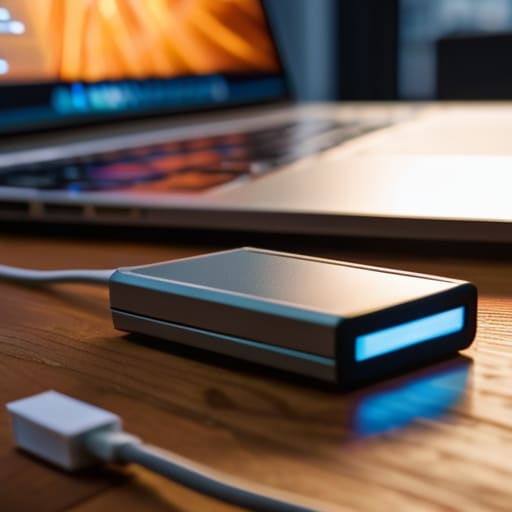
Look, I’ve seen too many people lose years of family photos or critical work files because they thought “saving it to the desktop” was a strategy. It isn’t. If you want a system that actually holds up when a drive fails or a house floods, you need to follow the 3-2-1 backup rule explained in plain English: keep three copies of your data, on two different types of media, with one copy located off-site. It sounds like overkill until you’re staring at a dead laptop.
In practice, this means you shouldn’t be choosing between an external hard drive vs cloud storage—you should be using both. Use a physical drive for quick, local access to your heavy files, but rely on a cloud service to act as your safety net. That cloud copy is your insurance against physical disasters like theft or fire.
The real trick is the frequency of data backups. If you only do this once a year, you aren’t protected; you’re just archiving. Set up some basic automated tools so your system handles the heavy lifting while you focus on more important things. Set it, forget it, and sleep better.
External Hard Drive vs Cloud Storage Cutting Through the Noise

Look, people love to argue about external hard drive vs cloud storage like there’s a single “correct” answer. There isn’t. It’s about understanding the trade-offs. An external drive is your physical anchor; it’s fast, it’s a one-time cost, and you have total control over the hardware. If your internet goes down, your files are still right there on your desk. But, it’s also sitting on the same desk as your computer, which makes it vulnerable to a single coffee spill or a house fire.
Cloud storage is the opposite. It’s invisible, it’s easy to automate, and it keeps your files off-site, which is a massive win for disaster recovery planning for individuals. However, you’re essentially renting space from a giant corporation, and you’re at the mercy of their subscription fees and your bandwidth. My rule of thumb? Use the drive for your heavy lifting—those massive photo libraries or video projects—and use the cloud for your essential, everyday documents. Don’t pick a side; just build a system that uses both to cover your blind spots.
Five ways to stop worrying about your data
- Automate the process or don’t bother. If you have to remember to plug in a drive every Sunday night, you’re going to forget, and when you do, it won’t matter. Set your software to run on a schedule so it happens in the background while you’re doing something actually useful.
- Test your backups before the crisis hits. There is nothing more gut-wrenching than realizing your “backup” is just a folder of corrupted files when you actually need them. Once a month, try to open a few random files from your external drive just to make sure they aren’t digital junk.
- Keep one copy physically distant. If you live in a place prone to floods, fires, or even just a bad electrical surge, having all your drives in the same desk drawer is a single point of failure. This is why that cloud component I mentioned earlier isn’t just a luxury; it’s your safety net.
- Label your hardware. I’ve seen too many people staring at three identical black external drives, sweating because they don’t know which one has the 2023 tax returns and which one is just empty. Get a silver Sharpie and write exactly what is on that drive directly on the casing.
- Don’t back up the junk. You don’t need to waste time and storage space backing up your “Downloads” folder full of installers or your temporary cache files. Focus on the stuff that would actually hurt to lose—photos, documents, and project files. Keep it lean and purposeful.
The bottom line: Don't let complexity kill your consistency
Automation is your best friend; if you have to remember to manually back up your files every Friday, you’re going to eventually forget, so set it to run on its own.
Prioritize what actually matters; you don’t need to back up every single gigabyte of junk, just the irreplaceable stuff like family photos and critical work documents.
Test your safety net periodically; a backup is just a pile of useless data if you haven’t actually verified that the files open correctly when you need them most.
Stop waiting for the crash

Look, we’ve covered a lot of ground, but let’s strip it back to the essentials. You don’t need a complex, enterprise-grade server setup to protect your life’s work. You just need to follow the 3-2-1 rule, decide whether you want the physical reliability of an external drive or the “set it and forget it” convenience of the cloud, and then—this is the part most people skip—actually verify that it works. A backup isn’t a backup until you’ve tried to open a file from it. Don’t let your digital history become a pile of corrupted sectors and broken links just because you thought you had “plenty of time” to get around to it. Build the system now so you aren’t scrambling when the hardware inevitably fails.
At the end of the day, technology is supposed to serve us, not keep us up at night worrying about what might vanish. I spend a lot of my time tinkering with old analog gear where things break in predictable, mechanical ways, but digital failure is a different beast entirely. It’s silent and it’s sudden. By setting up these simple, redundant layers today, you aren’t just saving files; you’re buying yourself peace of mind. Get your systems in order, automate what you can, and then get back to living your life. The goal is to make sure that when the screen goes dark, your most important memories and work stay firmly in the light.
