

I’ve spent half my life troubleshooting complex systems, from fried circuit boards to broken server architectures, so I know a bad setup when I see one. Lately, I’ve been seeing people spend hundreds of dollars on professional-grade ring lights and high-end DSLR mounts just to figure out how to look better on video calls. Honestly? It’s a massive waste of time and money. Most of that gear is just over-engineered noise that complicates a simple problem. You don’t need a studio setup to look like a professional; you just need to understand how light and positioning actually work in a real-world room.
I’m not here to sell you a dream or a shopping list of expensive gadgets. My goal is to give you a few straightforward, tested methods that bridge the gap between your messy home office and a clean digital presence. We’re going to strip away the fluff and focus on the high-impact adjustments you can make in under five minutes. By the time we’re done, you’ll know exactly how to optimize your space using what you already own, so you can stop worrying about your camera angle and get back to the work that actually matters.
Table of Contents
Stop Over Engineering Your Professional Video Call Lighting Setup
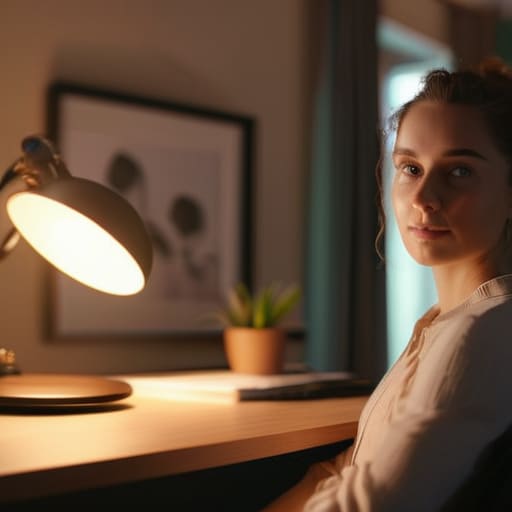
I see people spending hundreds of dollars on ring lights and complex LED arrays, only to end up looking like they’re filming a low-budget sci-fi movie. You don’t need a studio; you need a basic understanding of light physics. The biggest mistake I see is people sitting with a window behind them, turning themselves into a dark silhouette. Instead, just turn your desk around or grab a simple desk lamp. Position that lamp slightly to the side and in front of you to mimic natural light. This is the fastest way to start improving webcam video quality without a massive investment.
Stop trying to micromanage every single shadow. If you’re obsessing over a professional video call lighting setup that requires three different power outlets and a mounting bracket, you’re over-engineering the problem. My rule of thumb: if it takes more than two minutes to set up, it’s too complicated. Just find a steady light source, face it, and get back to your work. Simplicity is the ultimate efficiency.
Finding the Best Camera Angles for Remote Meetings
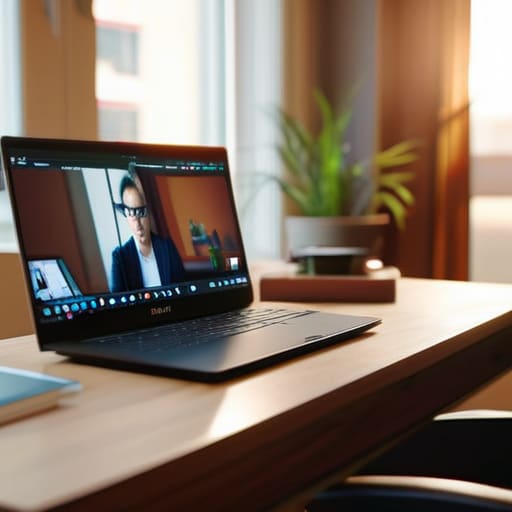
Most people set their laptops on the desk and call it a day, which is a mistake. When you’re looking up at a camera, all you’re doing is giving your colleagues a view up your nose. It’s awkward, it’s unflattering, and frankly, it’s bad video conferencing etiquette. You want to find the best camera angles for remote meetings by getting that lens at eye level. If you’re on a laptop, grab a stack of heavy books or a dedicated riser. The goal is a straight shot—not looking up at your chin, and not looking down at the top of your head.
Once you’ve got the height right, don’t forget the distance. If you’re too close, you look like a floating head; too far, and you’re a tiny speck in a messy room. Aim for a frame that shows your head, shoulders, and a bit of your chest. This simple adjustment does more for improving webcam video quality than any expensive software filter ever could. It makes you look present, engaged, and—most importantly—like a professional who actually has their act together.
Cut the Fluff: Five Ways to Actually Look Presentable
- Fix your background before you fix your face. If your room looks like a cluttered workshop or a laundry pile, people aren’t looking at you—they’re looking at the mess. Clear a small space behind your head, or just use a plain wall. Keep it simple so the focus stays on the conversation, not your unmade bed.
- Clean your lens. I see this all the time in my consulting gigs. People think they have a bad camera, but they actually just have a thumbprint smudged over the glass. Take a microfiber cloth or even a clean cotton shirt and give that lens a quick wipe. It’ll instantly sharpen the image and kill that weird, hazy glow.
- Mind your audio quality. You can have 4K video, but if you sound like you’re underwater or trapped in a wind tunnel, nobody is listening. Use a decent headset or a dedicated mic if you can, but if you’re stuck with laptop speakers, just make sure you aren’t in a room with too much echo. A rug or some curtains can do more for your sound than a thousand-dollar software upgrade.
- Dress for the occasion, not the couch. I get it—it’s remote work. But if you show up in a wrinkled t-shirt, it sends a signal that you’ve checked out. You don’t need a suit, but a clean, collared shirt or a decent sweater tells people you’re actually present and ready to work.
- Look at the lens, not the screen. This is the hardest habit to break, but it’s the most important for making a connection. When you stare at the little box with your own face, you look like you’re looking down or away. Aim your eyes at that tiny camera hole. It feels awkward at first, but it’s the only way to actually “make eye contact” with the person on the other end.
The Bottom Line
Stop chasing expensive gear; a single lamp placed correctly in front of you beats a thousand-dollar studio setup every time.
Get your camera at eye level to avoid looking like you’re staring down at your colleagues or peering up from your chin.
Focus on the basics of light and angle so you can stop fiddling with settings and actually focus on the conversation.
Cut the Noise and Get Back to Business

At the end of the day, looking good on a video call isn’t about owning a thousand-dollar ring light or a DSLR setup that requires a degree to operate. It’s about basic physics and common sense. Fix your lighting so you aren’t a silhouette, tilt your camera so you aren’t staring at your nostrils, and stop obsessing over every single pixel. Once you’ve nailed those fundamentals, you’ve done enough. The goal is to remove the friction between you and the person on the other side of the screen, not to turn your home office into a professional film studio. Keep it simple, keep it functional, and stop overthinking the gear.
Remember, the technology is just a bridge, not the destination. Your clients and colleagues aren’t tuning in to see a high-definition cinematic masterpiece; they are tuning in to hear your ideas and see your face. If your setup is clear enough to facilitate a real conversation, you’ve won. Don’t let the pursuit of “perfect” digital presentation become a distraction from the actual work you’re there to do. Focus on the substance of your message, use these simple tweaks to stay out of the way, and then get back to the things that actually move the needle.
