

I was hunched over my workbench last Tuesday, trying to solder a finicky capacitor onto a 1970s Moog synth, when my phone started blowing up with “unauthorized login” alerts. It’s that sinking feeling in your gut—the digital equivalent of realizing you left your front door wide open in a bad neighborhood. Most people treat cybersecurity like some high-level math problem that requires expensive software or a degree in computer science, but that’s a load of nonsense. If you’re sitting there wondering what is two step verification and why it feels like such a massive chore, you’re likely being sold a version of security that is unnecessarily complicated.
I’m not here to give you a lecture on encryption protocols or sell you on a subscription service you don’t need. My goal is to strip away the jargon and show you how to build a digital deadbolt that actually works without slowing your life down to a crawl. I’ll show you the most efficient, low-friction ways to secure your accounts so you can stop worrying about hackers and get back to what matters. Let’s cut through the tech-bro hype and set up a system that actually holds up when things get messy.
Table of Contents
Securing Online Accounts Without the Digital Headache
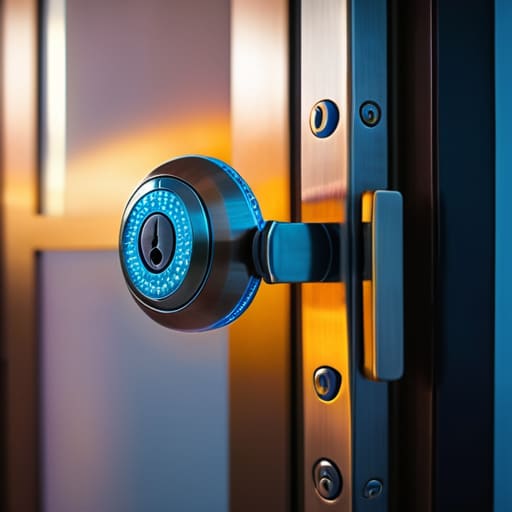
Look, I’ve seen enough system failures to know that a single point of failure is a recipe for disaster. Relying solely on a password is like locking your front door but leaving the key under the mat. When it comes to securing online accounts, you need a backup plan that doesn’t require a PhD to operate. Most people think they need a complex security suite, but real identity theft prevention usually comes down to one simple, redundant layer of defense.
If you’re looking for the path of least resistance, you’ll likely face the classic debate: authenticator app vs SMS. I’ll give it to you straight—SMS codes are better than nothing, but they’re vulnerable to SIM swapping. If you want to do this right without the headache, download a dedicated authenticator app. It’s a digital “deadbolt” that lives on your phone, works offline, and doesn’t rely on a shaky cellular signal. It takes an extra five seconds during login, but in my book, that’s a small price to pay for knowing your data isn’t sitting out in the open.
Identity Theft Prevention That Actually Works in Real Life

Look, we’ve all seen the headlines about data breaches, but most people treat identity theft prevention like a chore they can put off until next Tuesday. The reality is that once your credentials hit the dark web, you’re playing a game of catch-up that you’re likely to lose. If you want to actually protect yourself, you have to move beyond just having a complex password. You need a system that assumes your password will eventually fail.
This is where the real multi-factor authentication benefits kick in. I always tell my clients to stop relying on text messages for their codes. SMS is easy to intercept through something called SIM swapping, which is a fancy way of saying a hacker can hijack your phone number. Instead, I recommend using an authenticator app or, if you’re serious about high-level security, a physical security token. It’s a bit more setup upfront, sure, but it’s the difference between a screen door and a solid steel deadbolt when it comes to keeping your digital identity from being stripped bare.
5 Practical Ways to Set Up 2FA Without Losing Your Mind
- Stop relying on SMS codes. Text messages can be intercepted through SIM swapping, which is a headache you don’t want. Instead, use an authenticator app like Authy or Google Authenticator. It’s faster, more secure, and works even if your cell signal is acting up.
- Get yourself a physical security key. If you want the gold standard, grab a YubiKey. You just plug it into your USB port or tap it against your phone, and you’re in. It’s the digital equivalent of a physical deadbolt—hard to pick and even harder to bypass.
- Print out your backup codes and put them in a real, physical drawer. Most services give you a list of one-time use codes when you set up 2FA. Don’t just leave them in a random text file on your desktop; if your computer crashes or gets locked, you’re locked out too. Treat them like a spare house key.
- Audit your most critical accounts first. You don’t need to spend three hours securing every single forum account you’ve ever joined. Focus your energy where it counts: your primary email, your banking apps, and your main social media profiles. That’s where the real damage happens.
- Use a password manager to bridge the gap. Trying to manage complex passwords plus 2FA codes is a recipe for burnout. A good manager handles the heavy lifting of remembering the credentials, leaving you to just deal with the quick authentication step when prompted.
The Bottom Line: Keep It Simple, Keep It Secure
Treat 2FA like a deadbolt on your front door; it’s a small, extra step that makes the difference between a minor slip-up and a total catastrophe.
Skip the SMS codes if you can—they’re easy to intercept. Use an authenticator app or a physical security key to build a defense that actually holds up.
Don’t wait for a breach to act. Set up your strongest accounts today so you aren’t scrambling to fix a broken system when the screen goes dark.
The Bottom Line

Look, we’ve covered a lot of ground here, but if you take away nothing else, remember this: two-step verification isn’t some complex IT chore designed to slow you down. It’s simply the digital equivalent of double-checking that the front door is locked before you head to bed. We’ve talked about how it acts as a secondary barrier against identity theft and how it bridges the gap between a stolen password and a total security breach. By moving away from the “password-only” mindset and embracing tools like authenticator apps or even a simple hardware key, you are essentially building a failsafe system that works even when you make a mistake. It’s about creating a layer of friction for the hackers, while keeping the process smooth for you.
At the end of the day, technology should serve us, not add more stress to our plates. I spent years trying to optimize complex systems only to realize that the most effective solutions are often the simplest ones. Don’t let the fear of a little extra clicking stop you from securing your livelihood. Setting up 2FA might take an extra thirty seconds today, but it saves you from a lifetime of digital headaches tomorrow. Stop overcomplicating your security and just start building better habits. Once you have these systems in place, you can get back to focusing on what actually matters in the real world.
